Stick Figure Sniper
An observation-driven Unity browser game with moving targets, changing sightlines, landscape touch controls, and versioned local saves.
 Visit the live site ↗
This is a game about watching before shooting. Read an illustrated briefing, follow the people in the scene, and work out who your target is before taking a shot. The challenge is not just aiming: people move, sightlines change, and an opportunity can disappear while you are still deciding.
I built it in Unity and C# for the browser, including mission behavior, procedural illustrations and character animation, synthesized audio, touch controls, and local progress storage.
Making observation part of the mission
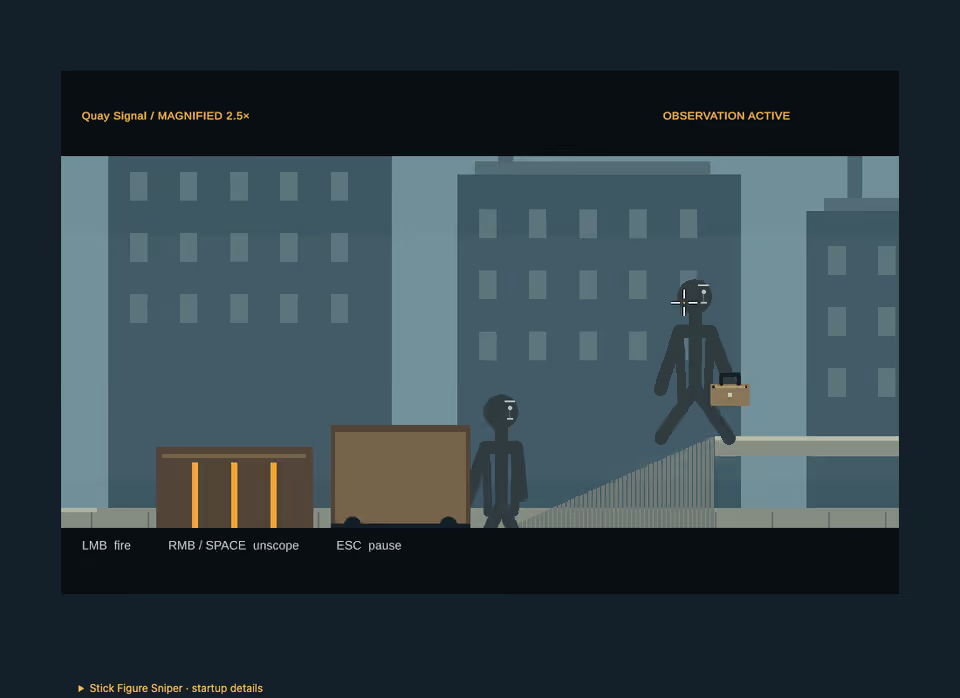
The game has four released missions. The first three use different situations: follow a case handoff in Quay Signal, identify a machine inspector in Foundry Crossing, and track a receiver before departure in Last Tram. Each has three authored variations. Completing missions unlocks the next location; completed missions can be replayed.
Quay uses a timed sequence of approaches, an exchange, stairs, and inspection. The receiver is identified through behavior rather than a target-only color. Last Tram adds a departure deadline, so observing the scene and choosing when to act are connected decisions.
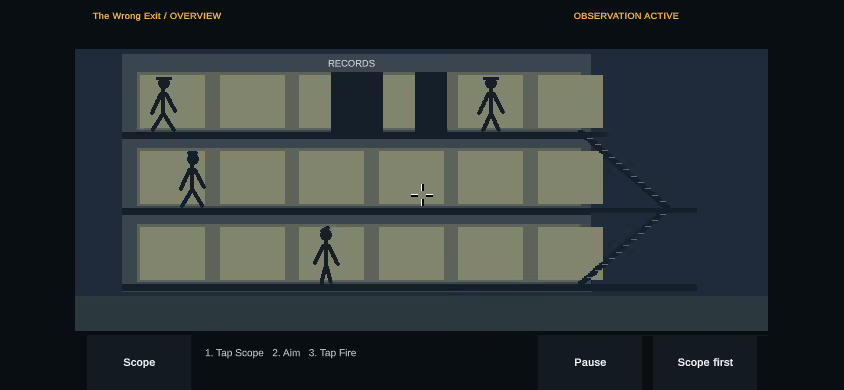
The fourth mission, The Wrong Exit, follows a restricted-records visitor through an office and service stairs, extending observation and target tracking into a multi-level interior.
Keeping shot results aligned with the scene
Mission rules build hit regions for people and obstacles at the current mission time. Shot selection considers their depth, so cargo, a foundry shutter, or a tram door can block a person behind them rather than merely decorate the scene.
The outcome distinguishes a miss, an obstructed shot, the intended target, and a protected person. Headshot and clean-shot mastery add optional replay goals; the clean-shot check also considers proximity to protected bodies.
Character routes and shot geometry are tied to the mission state. That matters when changing movement: adjusting walking speed can change where a person is when a shot is evaluated, not just how the animation looks.
Separating touch aiming from firing
Touch play is landscape-first. One finger owns relative aiming in the scene, while another can use the separate Scope and Fire controls. Dragging the scene does not fire, and scoped aiming applies a lower movement sensitivity.
This is a different interaction from treating every tap as a mouse click. Separating aim ownership from the controls lets a player adjust their aim without accidentally taking the shot. Pause and explicit resume are part of the same input flow.
Protecting browser progress as the game changes
Progress, preferences, and mastery use a versioned profile in browser-local storage, not a cloud account. The profile layer validates saved data and migrates supported older versions. Unreadable or newer saves are protected rather than silently overwritten; storage failures are distinguished from having no saved profile.
The fourth mission introduced version 4 saves. Older builds preserve those bytes but cannot read them, so rolling back game assets is not the same as rolling back a player’s progress. Removing the separate challenge-run menu also retained legacy save fields instead of resetting existing profiles.
Testing the browser experience
The WebGL build runs deterministic editor checks for mission, profile, and application flow behavior. Focused mechanism checks and browser harnesses cover selected shot outcomes, touch controls, pause and resume, loading failures, and save-storage failures. Artwork and audio are generated in the project rather than requiring an external asset pipeline.
All four missions, including The Wrong Exit, are released and owner-accepted. The revised Quay touch preview also received owner approval on iPhone. Release acceptance is distinct from exhaustive cross-device certification or long-session stability testing.